
Real-time fact check
A local gate picks out claims and AI verifies them — verified, incorrect, or uncertain, with evidence on a card. If it's wrong, the correct fact comes too.
Real-time fact check corrects wrong numbers on the spot, and meeting memory resurfaces past decisions.
Live 2-pass transcription × a built-in local AI that knows your notes — install and you're done.
"Did we say it grew 20% last year?" — Bob detects claims with numbers, years, and product names, verifies them instantly, and resurfaces past decisions with sources the moment a related topic comes up.
A local gate picks out claims and AI verifies them — verified, incorrect, or uncertain, with evidence on a card. If it's wrong, the correct fact comes too.
When a meeting ends, decisions, facts, and plans are learned into a knowledge graph. Next meeting, related topics bring back past conclusions with a "Last meeting · date" source.
Knowledge-base suggestions · fact check · meeting memory — switches on the start screen. Fact check is off by default, and even when on, only gated utterances are minimally verified.
Meeting memory and note suggestions run fully on-device. Only fact check is opt-in — with your own API key, only when needed.
Meeting intelligence
From speech to first-pass text —
perceived latency of 2-pass streaming
Final transcription accuracy
after the offline refinement pass
Audio, transcripts, notes — all on your Mac.
Zero data leaves the device
Prefetch → heuristic gate → LLM synthesis.
Only what matters gets through
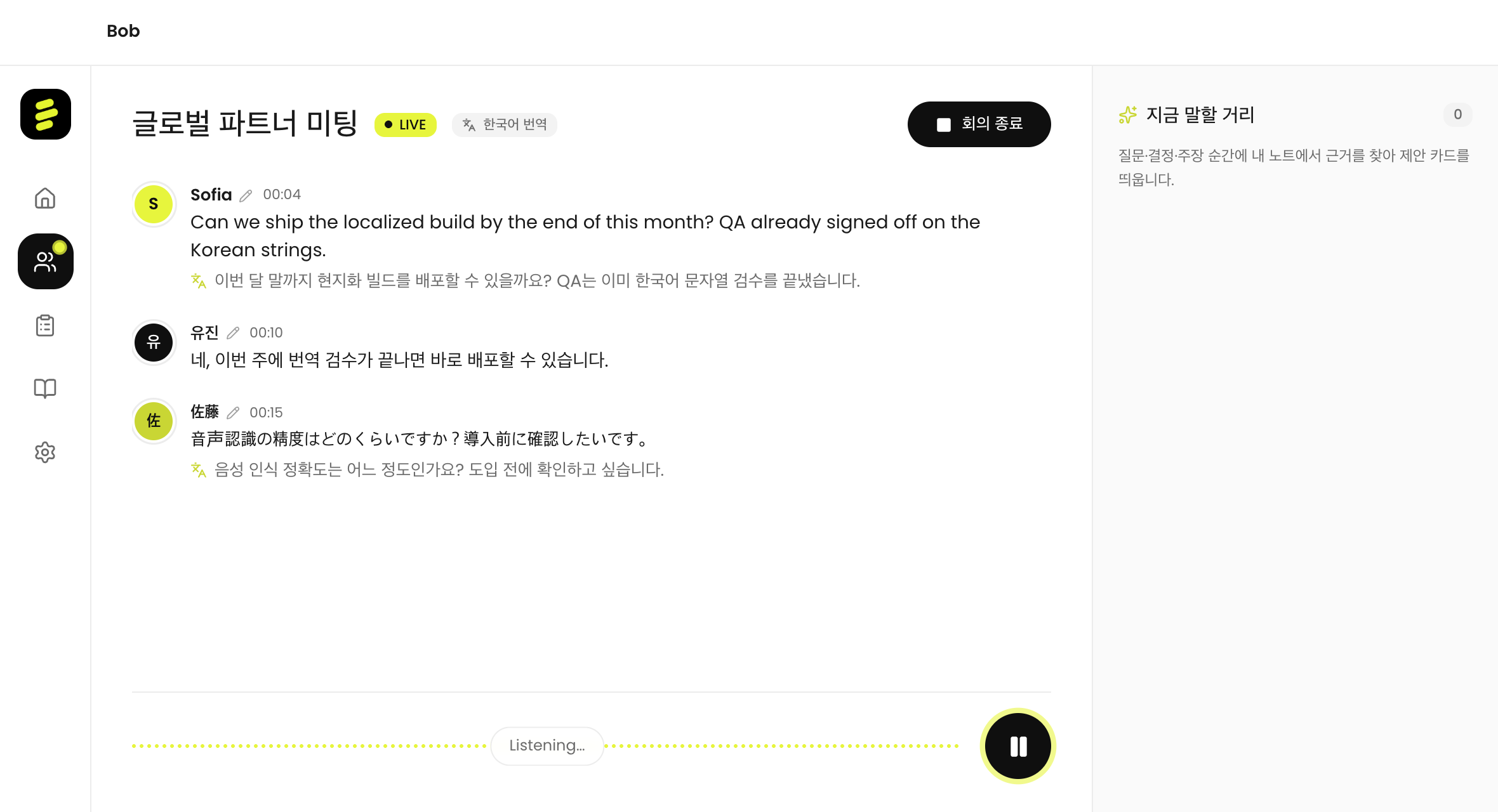
A faithful replica of the app's Live session screen. When an utterance is finalized, Bob searches the knowledge base — only gated suggestions and fact-check cards appear in the intelligence panel on the right.
Meeting intelligence
Pick a conversation language when the meeting starts, and the built-in local AI translates other languages in real time, right under the original. Even nonstop speech is chunked into 3–5 sentences — all on-device, of course.
Live demo (sample) — in the real app, the built-in local AI (Qwen3) translates on-device.
An industrial ASR pipeline and on-device AI in a single desktop app. No servers to run, no API keys.
A heuristic gate detects claims with numbers, years, and product names; AI verifies them. Verified · incorrect · uncertain verdicts with evidence — and the correct fact if it's wrong.
After each meeting, decisions, facts, and plans are learned into a knowledge graph. Related topics next time bring back past conclusions with a "Last meeting · date" source.
Draft text flows the moment you speak; when a sentence ends, an offline refinement pass finalizes punctuation and timestamps.
CAM++ speaker embeddings tell voices apart and save them as profiles — the same person gets the same name next meeting.
RealtimeGate detects question and decision signals, suppresses duplicates, and respects cooldowns. One "talking point" card, only when it matters.
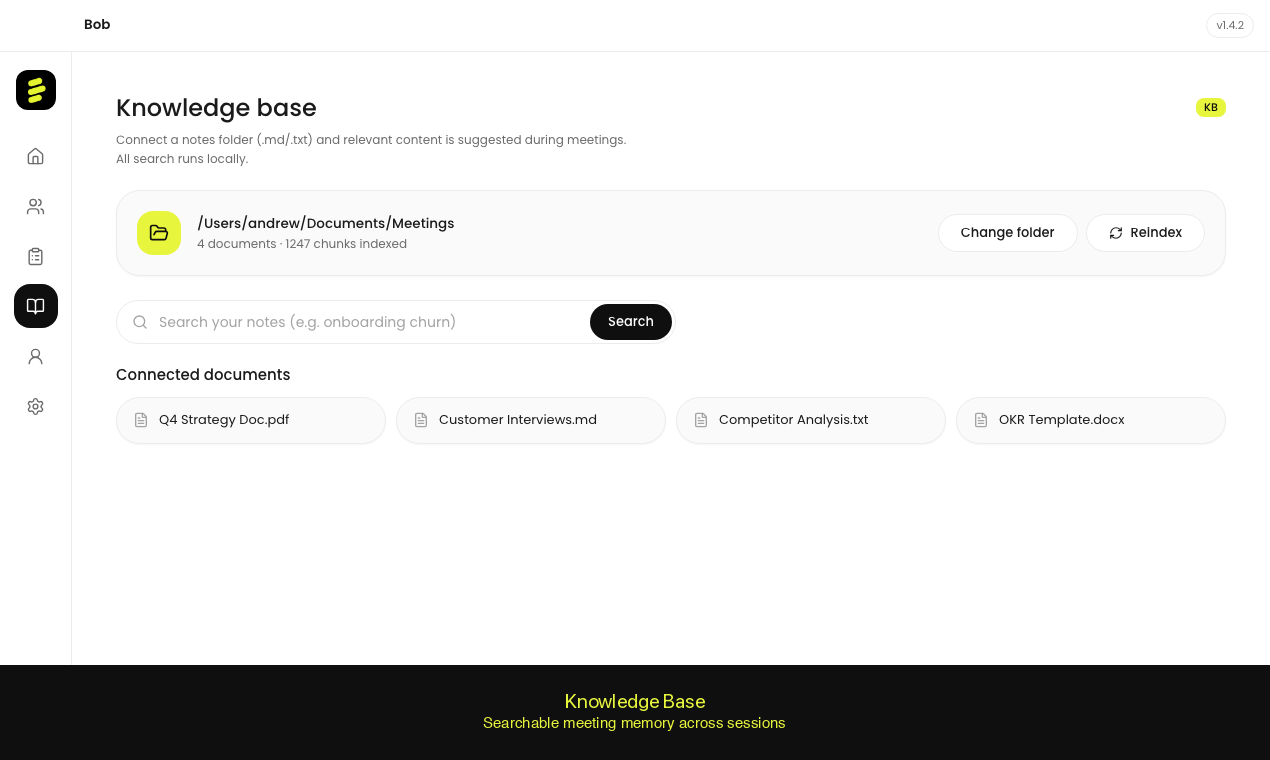
A local md/txt folder is your knowledge base. BM25 search builds note-grounded suggestions with no embedding server.
When the meeting ends, the built-in AI writes the summary. Clipboard copy, email share, Markdown export — one click each.
First launch installs the transcription engine and AI models automatically; new versions update themselves after sha256 verification.
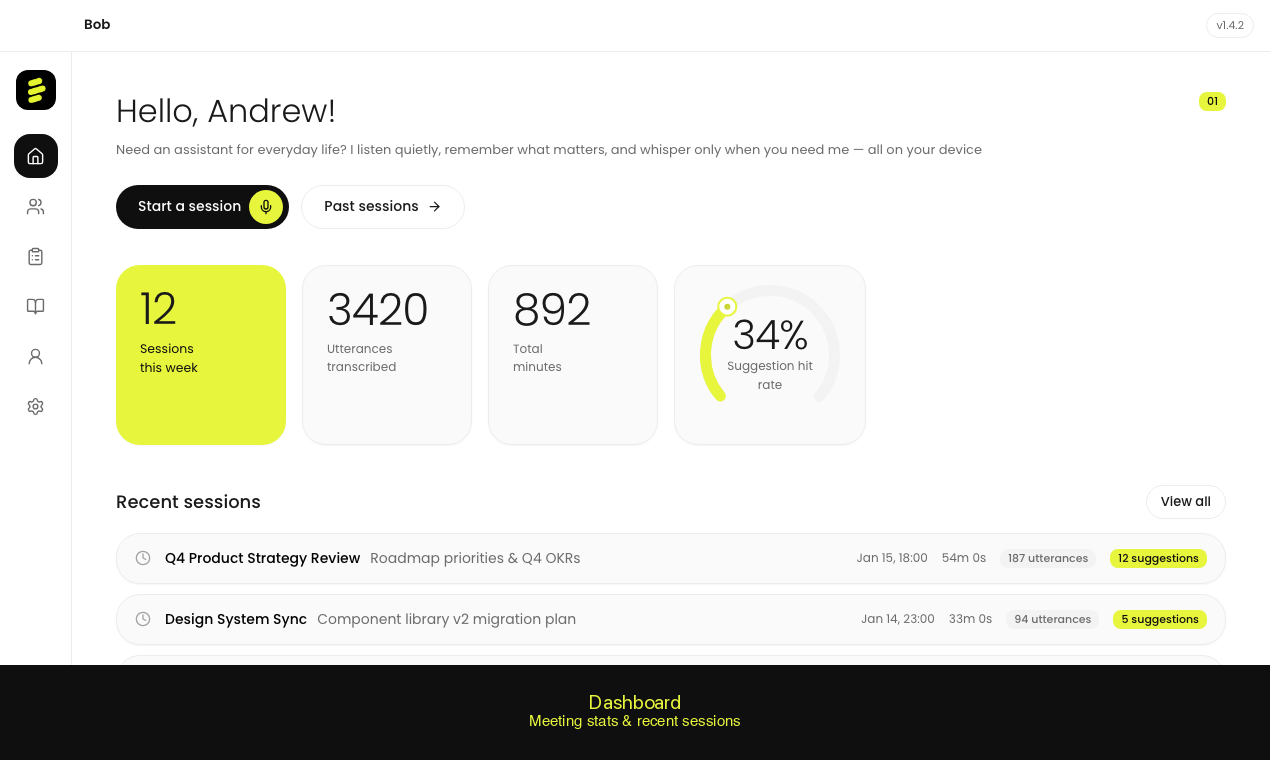
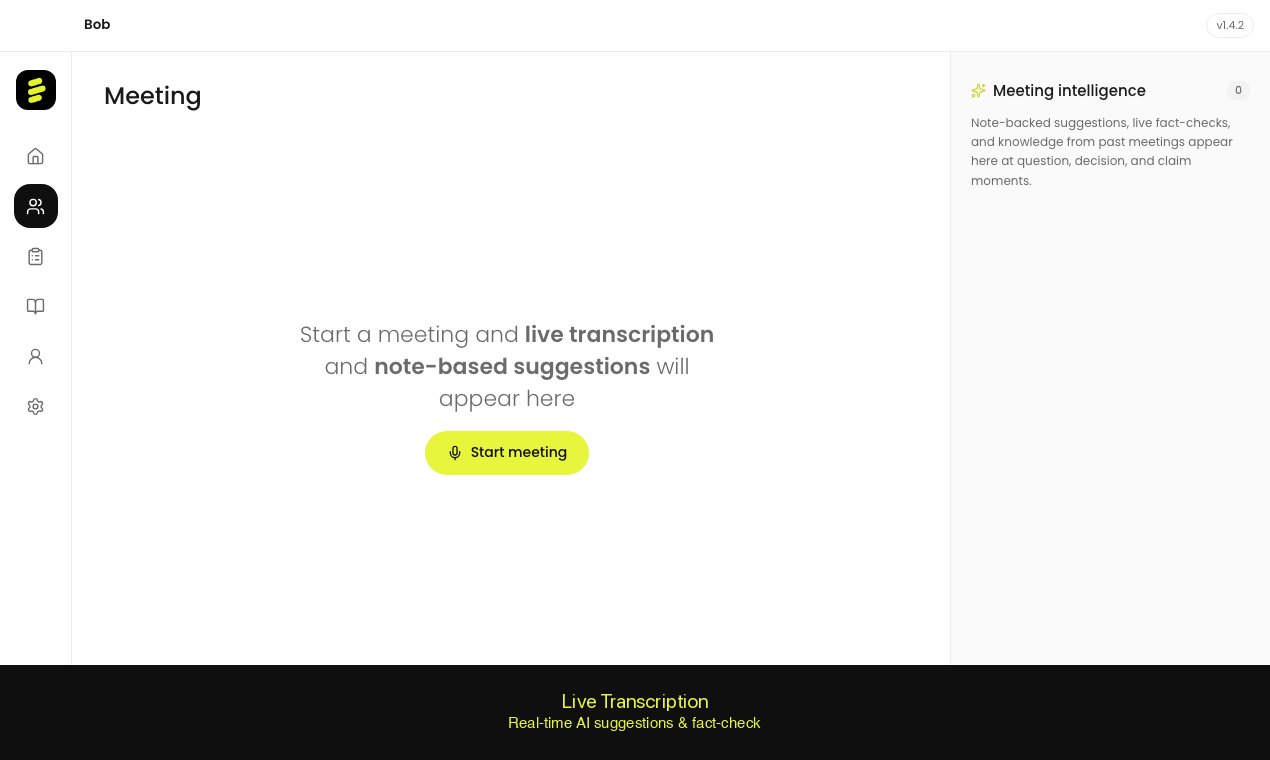
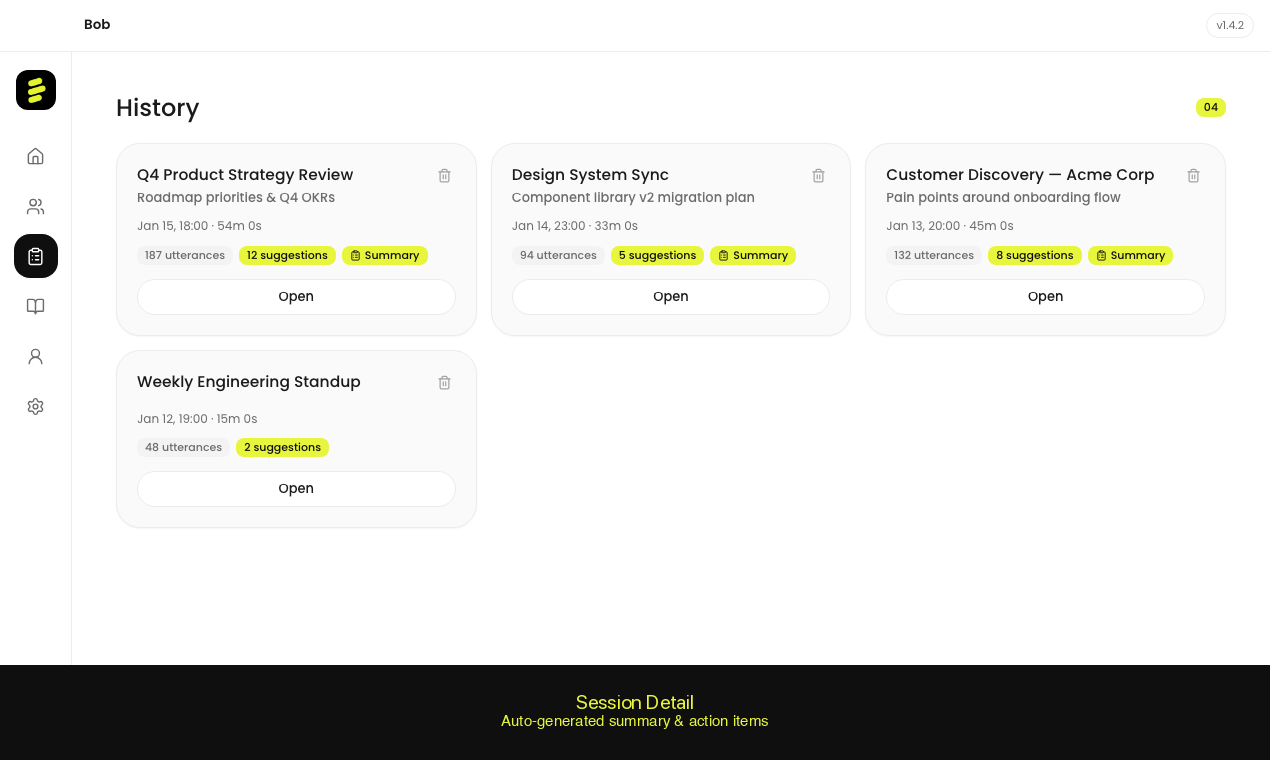
Actual screenshots from Bob's desktop app. Dashboard, live transcription, session summaries, and knowledge base — everything runs locally on your Mac.
Not every utterance becomes a suggestion. A 3-layer pipeline filters the noise and keeps the context.
The moment an utterance is finalized, BM25 searches the knowledge base and stages the top 3 related notes.
Question, decision, and claim triggers blend with KB relevance scores. Similar suggestions are suppressed; cooldowns respected.
Only past the gate does the built-in local LLM (llama.cpp + Qwen3) stream-synthesize a suggestion card.
No LLM setup, no API keys — on first launch Bob prepares its built-in local AI automatically.
Audio is processed by the built-in transcription engine; summaries and suggestions by the built-in local AI. Recordings, transcripts, speaker profiles, notes — all files on your Mac.
Open the DMG, drag, done. No servers, no API keys, no accounts.